
This post may contain affiliate links, meaning I may receive a commission if you purchase through my links. I only recommend products I have personally tested or have thoroughly researched. All opinions are my own. Please read the full disclosure for more information.
I have had Thrivecart for under a year at the time of this review. And even after this time, I would still recommend it to many online courses and content creators for many reasons.
It certainly has its pros and cons, and a couple of things that I may not like about it, but there are far more reasons why I love it and will continue to recommend it to this day.
The main reasons are the affordable one-time price, the sales platform + course builder combination, and the ability to sell more products with affiliate marketers. Overall, the value of this platform is well worth the price, and I don’t think I would ever consider any other options after working with ThriveCart.
So, if you are looking for an affordable shopping cart platform, membership platform, or even just a course creator, ThriveCart is likely going to be your best choice. But, if you do want to learn a bit more before you decide to buy, or you are just doing some shopping around to find what will work for you, then this article should cover any questions you might have.
But, if you do have other questions, make sure to leave a comment at the bottom of the post so I can help answer them for you!
Real quick though, if you do decide you want to use ThriveCart, and you purchase through my link today, you will also get instant access to my Blogging for Beginners Course ($290 value) for free. I don’t offer this deal anywhere else.
Why ThriveCart is the Best Sales Cart + Course Platform
So, first of all, if you’re wondering what a sales cart platform is, and why many online business owners use them, here’s what it means.
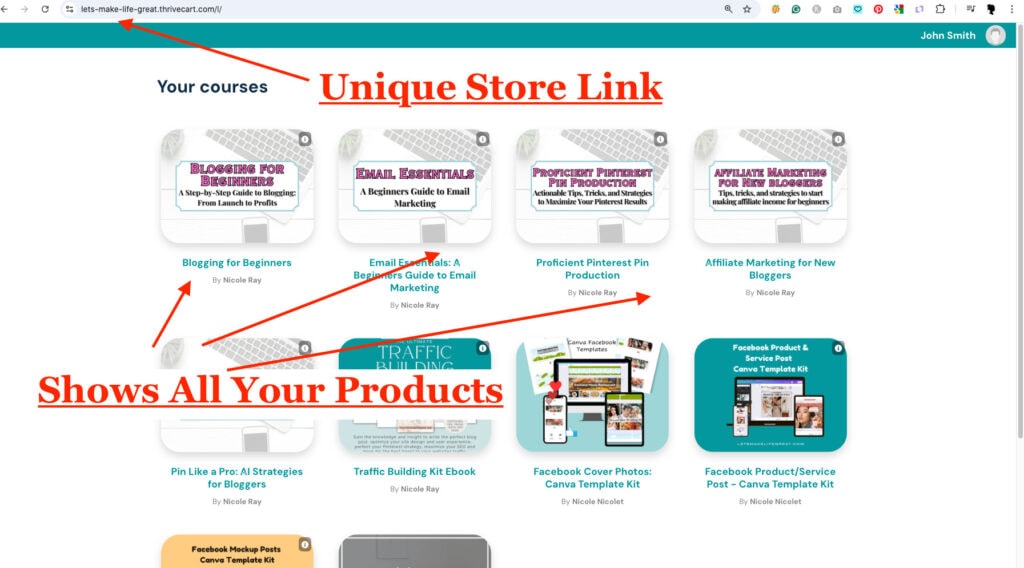
A sales cart platform is software that facilitates, or manages online purchases. Essentially, as a business owner, you will have a website or shop where you list your products, and the sales cart software, ThriveCart, will manage the checkout process for you. Though, you don’t actually have to have a website to list your products, since ThriveCart has exclusive links for your products and courses.
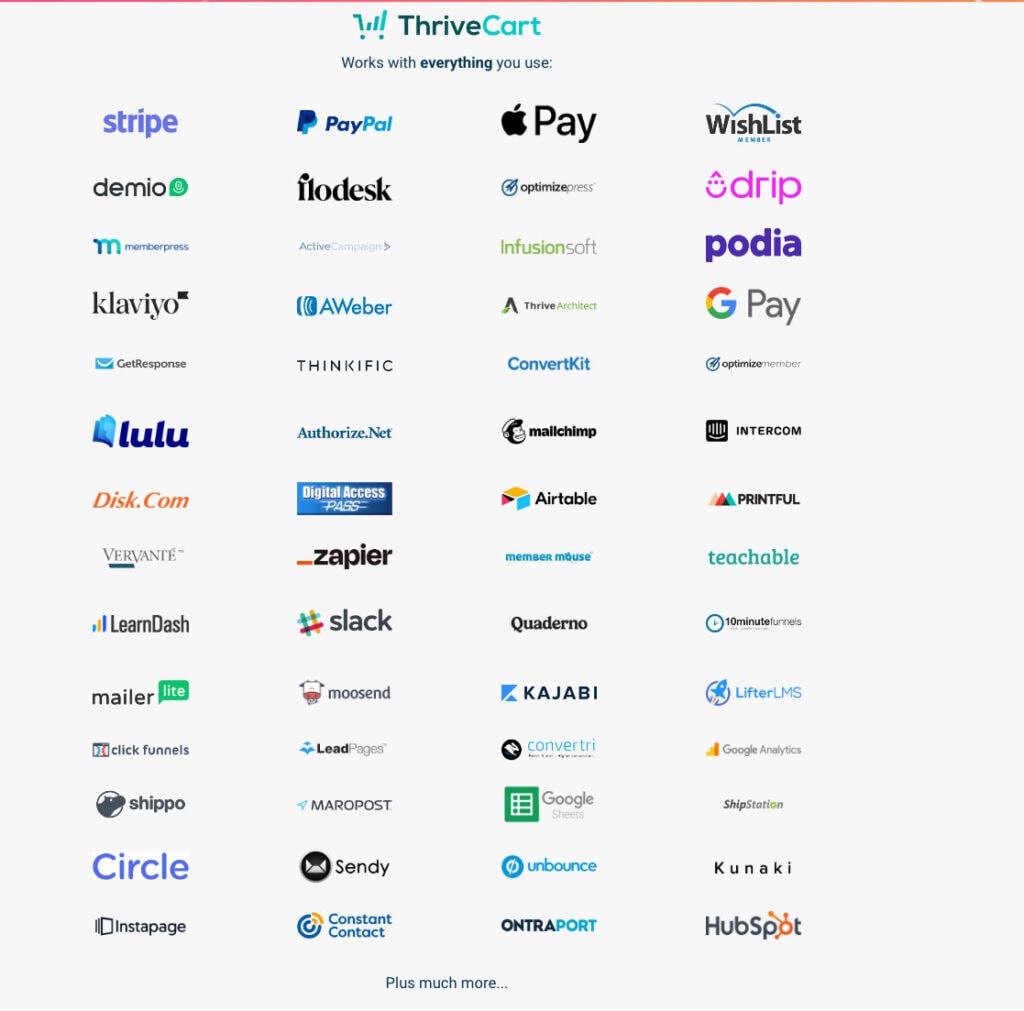
So, while it handles the checkout process, it is integrated with software like Paypal, Stripe, Klarna, Affirm, AfterPay, Apple Pay, Google Pay, and more.
Many payment options and ease of purchase mean your customers can use just about any form of payment, so they are more willing to buy. Consequently, this means more online sales for you.
But, what makes ThriveCart features stand out more than other platforms is the higher conversion rate compared to similar sales cart platforms and its lifetime license. With the customizable sales pages, many business owners have seen their conversions increase with features like the A/B split testing feature, bump offers, upsells, and more.
And, with higher conversions comes more sales.
You can also set up sales funnels with ThriveCart to more easily automate your efforts. And with better automation comes more passive income, which is what I love most about ThriveCart.
So, you can see why I love ThriveCart so much.
And, all of that is just in regards to the sales cart part of the platform, and I haven’t even talked about the course creation part of it yet.
I will get into that more later, but first I want to share with you a quick bonus before you start diving into the rest of this article.
If you decide that ThriveCart is right for you, and you decide to purchase it, I will give you lifetime access to my Blogging for Beginners course, worth over $290, for free.
(You get a $290 bonus value if you buy ThriveCart through my link)
Best Priced Sales Cart + Course Builder Combo
First off, what makes ThriveCart one of the best platforms for business owners is the one-time payment for lifetime access to the platform (aka – lifetime license).
As an owner of ThriveCart, you will have access to the “ThriveCart Learn” feature, which means you can use both the sales cart and the online course platform together. You won’t need to pay anything extra to start building your courses.
So you can get started on building your courses right away.
ThriveCart Learn gives you the ability to create and sell unlimited online courses or products, so you can go buck wild crazy if you want to!
When it comes to finding the best combo of sales cart and course creators, even if you are a total beginner, or an experienced business owner looking for a better sales cart + course creator for your business, ThriveCart is the most likely to suit all of your needs. Both with the included features and most certainly with the pricing.
However, if you already have an online course platform that you use (Teachable, Kajabi, Karta, etc.), you can easily integrate the sales cart features of ThriveCart to deliver your students access to your other course platform.
This can also give you the opportunity to transfer your course content from your other course platform over to ThriveCart using the student integration feature. That way you can finally cancel your monthly payments or fees from other online course platforms.
Additionally, ThriveCart has a subscription feature in which you can create a monthly membership or subscription option for your students. Ultimately, this means consistent revenue for you without the monthly costs or fees that many membership sites require from you.
Related: How to Make 6-Figures Selling Online Courses (2025 Guide)
Unlimited Courses, Digital Products, and Subscriptions
With ThriveCart, you don’t actually have a limit on how many digital courses, products, or subscriptions you run. With just the basic ThriveCart features, there isn’t a limit to how many you can create and sell.
Thankfully, for those who truly enjoy creating new content, this means more online sales opportunities, while serving a wider audience. Plus, you can also better serve your current students by providing additional, or more in-depth course content.
Other online course creators often have a limit to how many digital courses or products you can create and sell. An example of this is a limit in the basic plan for Teachable where you can only host 5 courses at a time. Kajabi has a course and product limit, though this is a bit higher.
There are other course platforms like Kajabi, Teachable, Kartra, and more that offer a membership program feature or a monthly subscription option for your students. However, they still do not compete with the pricing option of ThriveCart.
Affordable Pricing Compared to Other Platforms
While some may argue about pricing, there is one thing that no other sales cart + course building platforms can compete with. And that is the one-time fee for lifetime access to the platform.
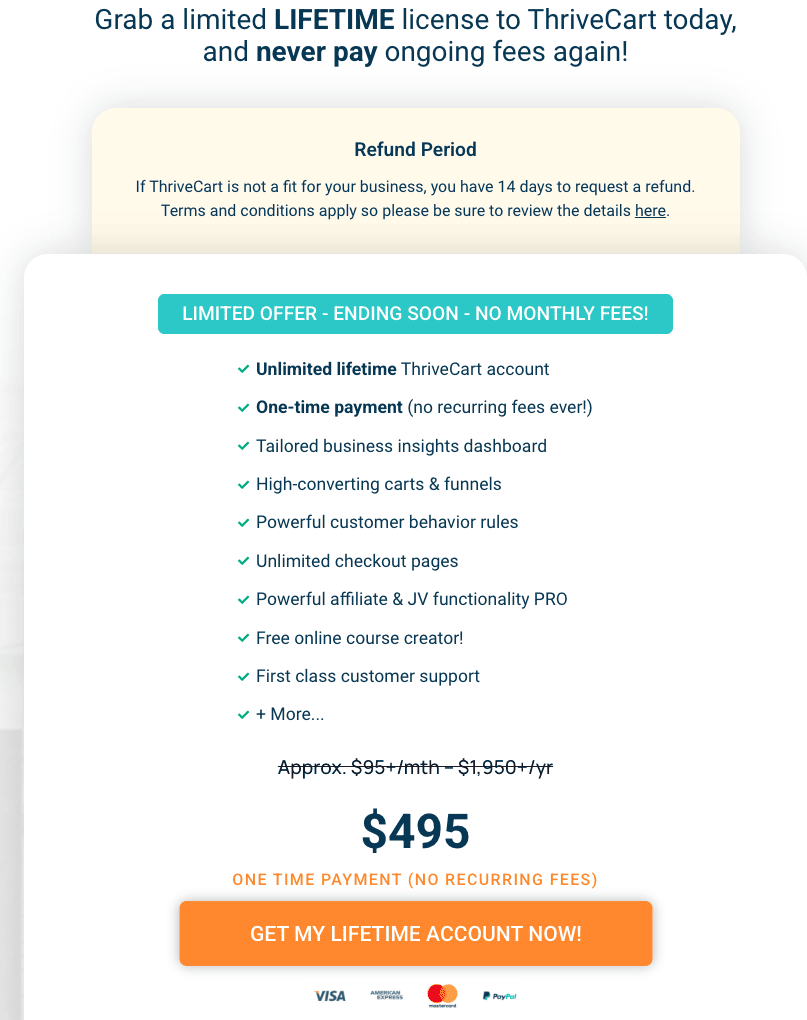
With your ThriveCart lifetime license, you will easily be able to earn back your initial investment, especially since ThriveCart does not take any percentage of your sales.
Not every platform offers this feature.
Unless you have a pro-Plan of Teachable ($159/month), you are going to be charged a 5-10% transaction fee for every sale. Which, to be honest, is quite a lot, in my opinion, especially after you are paying quite a lot in monthly fees already.
So, what does ThriveCart’s one-time payment license actually cost?
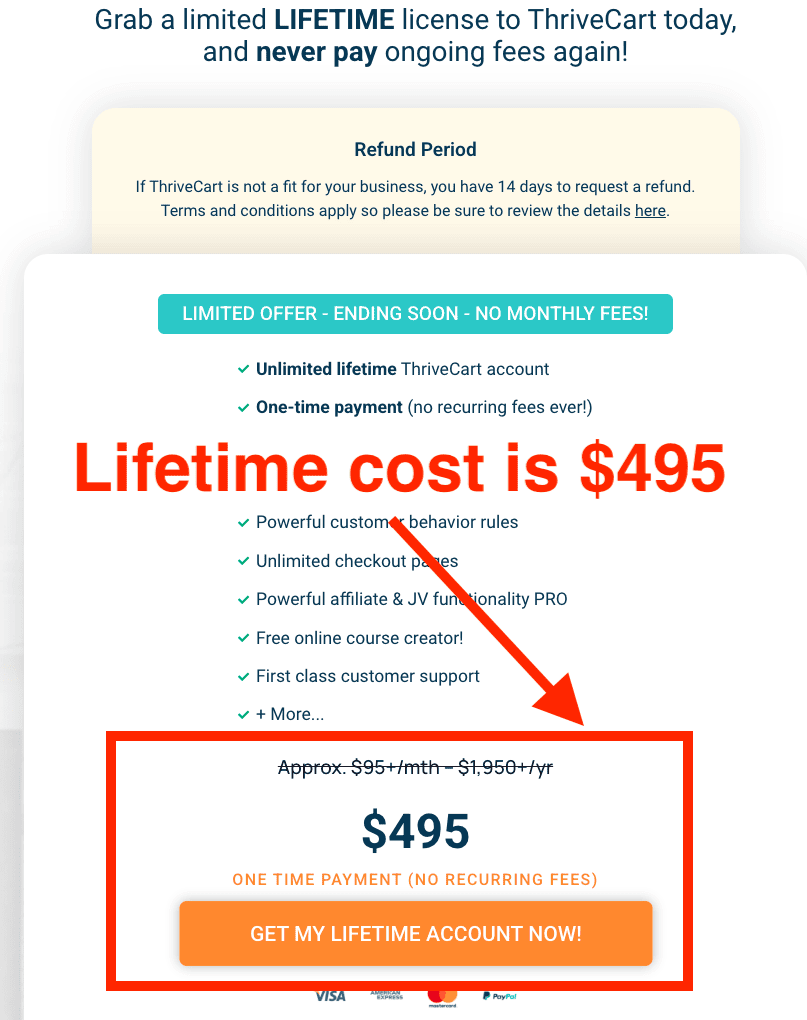
For ThriveCart’s standard lifetime account, the cost is $495. However, I recommend going with the Pro upgrade, if you have the budget for it, so you can have the option to have affiliates help you sell your product.
I will get more into the upgrade features later.
Related: 32 Passive Income Ideas to Make a 6-Figure Income in 2025
Alternatives to ThriveCart – What is it Missing?
While ThriveCart is one of the best programs out there for its price and features, there are a few main things other platforms have that ThriveCart does not.
What ThriveCart is Missing:
- Mobile App (included with Kajabi, and Teachable) – convenient for students
- Website Builder (included with Kajabi, Teachable, and Kartra)
- Built-in Email Marketing Software (included with Kajabi, Teachable, Kartra, Gumroad, Samcart, and more)
- Built-in Video Storage (doesn’t need embed code)
Alternative Options Included with ThriveCart:
- Video Embed Codes (YouTube embed, Dropbox embed code, etc.)
- Checkout Page Builder (ThriveCart is not a website builder)
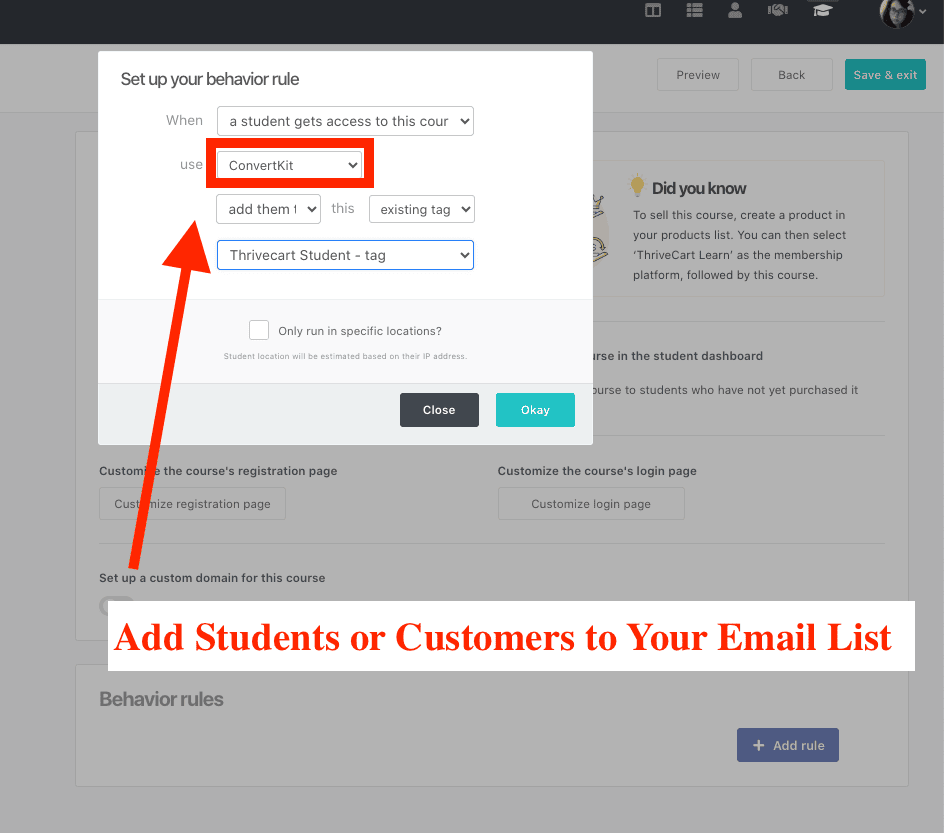
- Email Marketing Software Integration (3rd party integration with Convertkit, MailChimp, MailerLite, Aweber, Active Campaign, Hubspot and more)
As an online course platform and sales cart builder, ThriveCart does most things that other services do, or it offers 3rd party integration features for similar purposes. Like email marketing for one.
I use Convertkit (now Kit) for my business and blog, and I am easily able to integrate my email service into ThriveCart’s system.
How Much Does ThriveCart Cost?
The basic ThriveCart Lifetime Deal license is $495 at checkout. However, this is a great time for you to also upgrade your plan as the pricing may not always stay the same.
And, while you are checking out, there may also be a discount available to you for upgrades, but only while you are checking out.
However, if you decide that you aren’t quite ready to upgrade yet, but later want to start using the more advanced features, you can upgrade at any time for lifetime access. These other features don’t have any monthly fees either, so you won’t have to worry about that.
If you think you’re ready to start using ThriveCart, you can check out ThriveCart’s features for yourself, and get free access to my Blogging for Beginners course ($290 value).
Why ThriveCart Has NO Monthly Payments
ThriveCart does not have any monthly fees because it operates on a one-time fee model. This gives their customers access to all of the basic features including the sales page builder, and the course builder.
If you decide you want to start using the more advanced features that are included in the upgraded Pro plan, Learn+ plan, or if you want to add the ConvertBox feature, the same one-time fee applies to those as well. One payment for lifetime access.
Here is the pricing for all of ThriveCarts license plans:
- ThriveCart ($495) – sales page builder + course builder
- Pro Upgrade ($195) – includes a built-in affiliate program
- Learn+ ($195) – create course/product bundles
ConvertBox Pricing and Upgrade:
- ConvertBox ($495)
- Pro Upgrade ($95)
Also, don’t forget that if you buy any of these plans through my link today, you will also get access to my Blogging for Beginners course ($290 value), for free.
Does ThriveCart Take a Percentage of Sales?
Nope! ThriveCart does not take any percentage of your sales, so you get 100% profits from your courses and products.
However, depending on what payment process was used for the sale, you may have a small fee charged by the payment processor. In most cases, this is usually pretty small at about 2-3.5%. But, you may not be charged a fee every time either.
If you want to avoid additional fees with PayPal, you can read more in their article.
Remember though, no matter what platform you are on, there is likely going to be a transaction processing fee by the payment processor (PayPal, Klarna, Stripe, etc.).
But, if you plan for it, you can always keep this in mind when pricing your products.
Related: 15 Ways to Actually Make Money Blogging (Free Guide)
Is ThriveCart Cheaper Than the Alternative?
100%, ThriveCart is cheaper than similar course creators and sales cart platforms because of its Lifetime Deal license.
The most closely comparable shopping cart platform would be SamCart because the features that are included, and that aren’t included are very similar. However, what doesn’t compare is the pricing, since SamCart still has monthly fees that you will have to pay as long as you are a member.
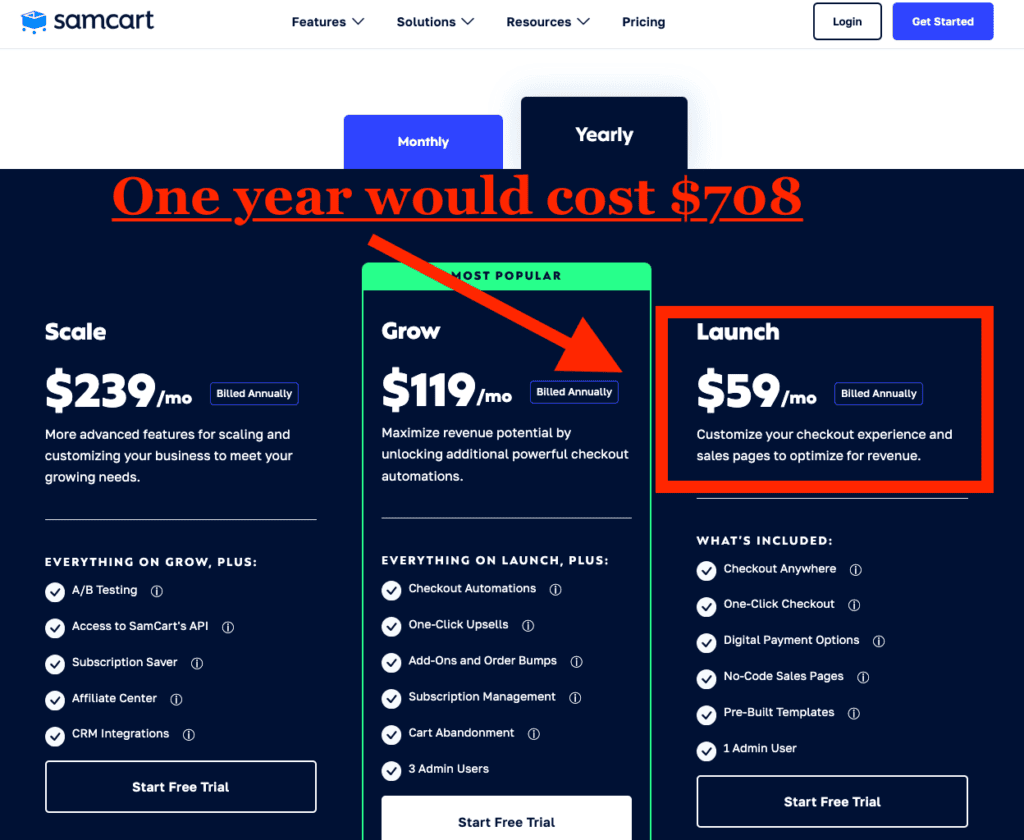
While other course builders may have additional features that some online business owners prefer (website builder, built-in email, etc.), ThriveCart either offers 3rd party integration options or those features can be added separately.
However, other features that are included with course-building platforms like Kajabi, or Teachable – like email marketing, or hosting a website – are already things that require a monthly cost anyway. So, you really aren’t saving any money, and end up paying a higher price for the course platform’s monthly pricing.
Is ThriveCart Worth it?
Yes, with the included features and the affordable pricing, ThriveCart is one of, if not the most comprehensive sales cart + course building platforms available.
Plus, with the degree of detailed analytics built into the sales cart dashboard, you can test and optimize your sales pages and sales funnels for a better conversion rate for more profit. And better yet, ThriveCart does not take any fees or percentage of your sales.
While ThriveCart may not be perfect, the value of what is included is well worth the price which is why I won’t ever use any other platform.
What Features Does ThriveCart Offer?
With the sales cart creator, the majority of the features included are part of the standard ThriveCart account. However, there are additional features that you can get if you choose the Learn+ upgrade, which mainly includes the option to bundle courses for your students.
At a very minimum, however, I would most recommend upgrading to ThriveCart Pro, whose biggest feature is the affiliates program, where you can have affiliate marketers help you sell your courses and products.
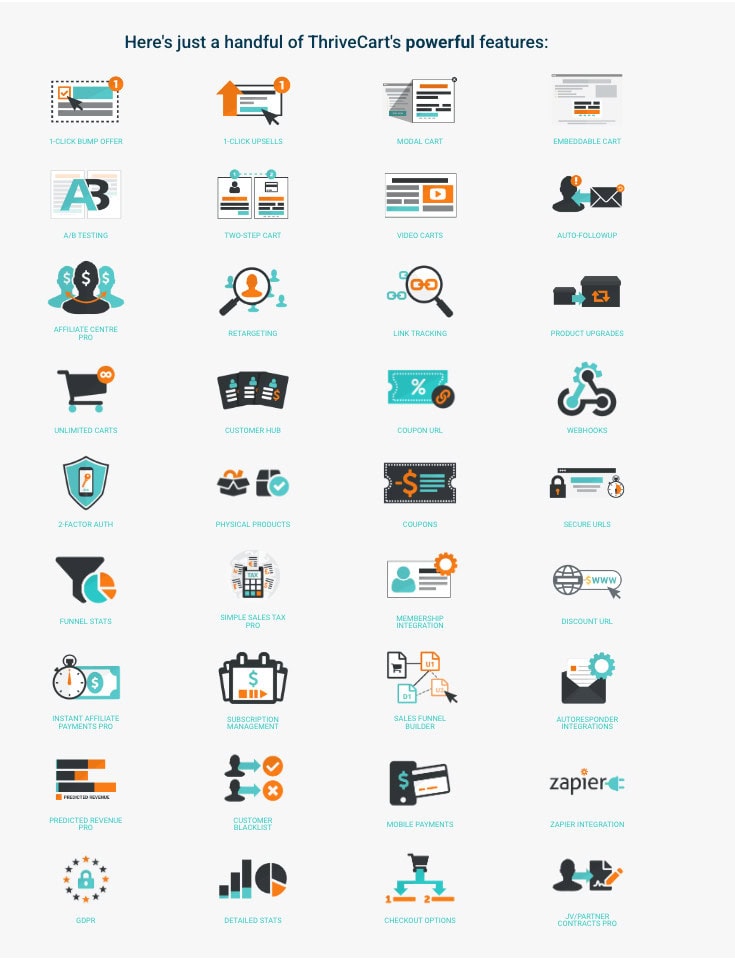
Here is a list of some of the features included with a basic ThriveCart account:
- Course creator (this is a key feature)
- One-click upsells
- Order bumps
- Unlimited sales pages/ Unlimited Carts
- Unlimited courses and products (this is a key feature)
- Integration for email marketing tools
- Modal cart/ Embeddable cart
- A/B split testing
- Two-step cart
- Video carts
- Auto-followup
- Retargeting
- Link tracking/ detailed stats
- Product upgrades
- Customer hub
- Coupon URLs/ coupons/ Discount URLs
- Webhooks
- 2-Factor authentication (for safety)
- Physical products
- Funnel stats
- Membership integration
- Subscription management
- Sales funnel builder
- Autoresponder integrations
- Customer blacklist
- Mobile payments
- Zapier integration
- Checkout options
Features included with ThriveCart Pro:
- Built-in affiliate program (this is a key feature)
- Subscription saver functionality
- Simple sales tax functionality
- Intelligent business projections (sales predictions)
- JV contracts
- Advanced user management
- Client usage rights
- Custom domain name functionality
Features included with Learn+:
- Advanced sequences
- Bundles (this is a key feature)
- Team Access
- Student import (great if you currently use other course software)
- Custom domains
Also, don’t forget that when you buy ThriveCart today, you will also get free lifetime access to my comprehensive Blogging for Beginners course (value $290). I don’t have this deal available anywhere else.
How Many Products Can You Have on ThriveCart?
ThriveCart, unlike other course creators or sales page platforms, allows you to post unlimited digital products and online courses. You can also sell physical products if that is a part of your business.
If you do sell physical products with ThriveCart, you can integrate different services to help automate this.
- Disk.com
- Kunaki
- Lulu
- Printful
- Shoppi
- ShopStation
- Zapier
- Google Sheets
- Vervante
What Can You Sell on ThriveCart?
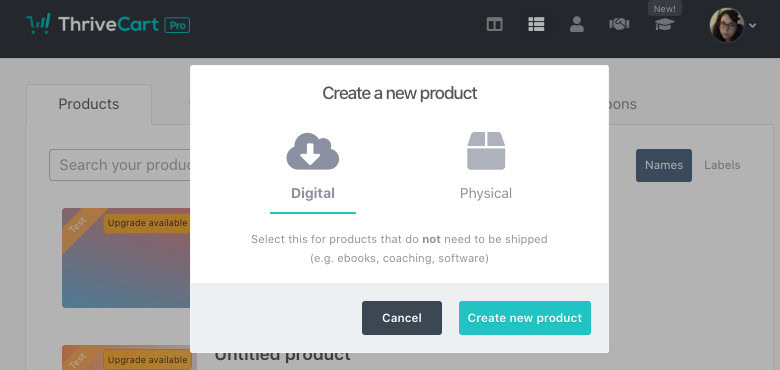
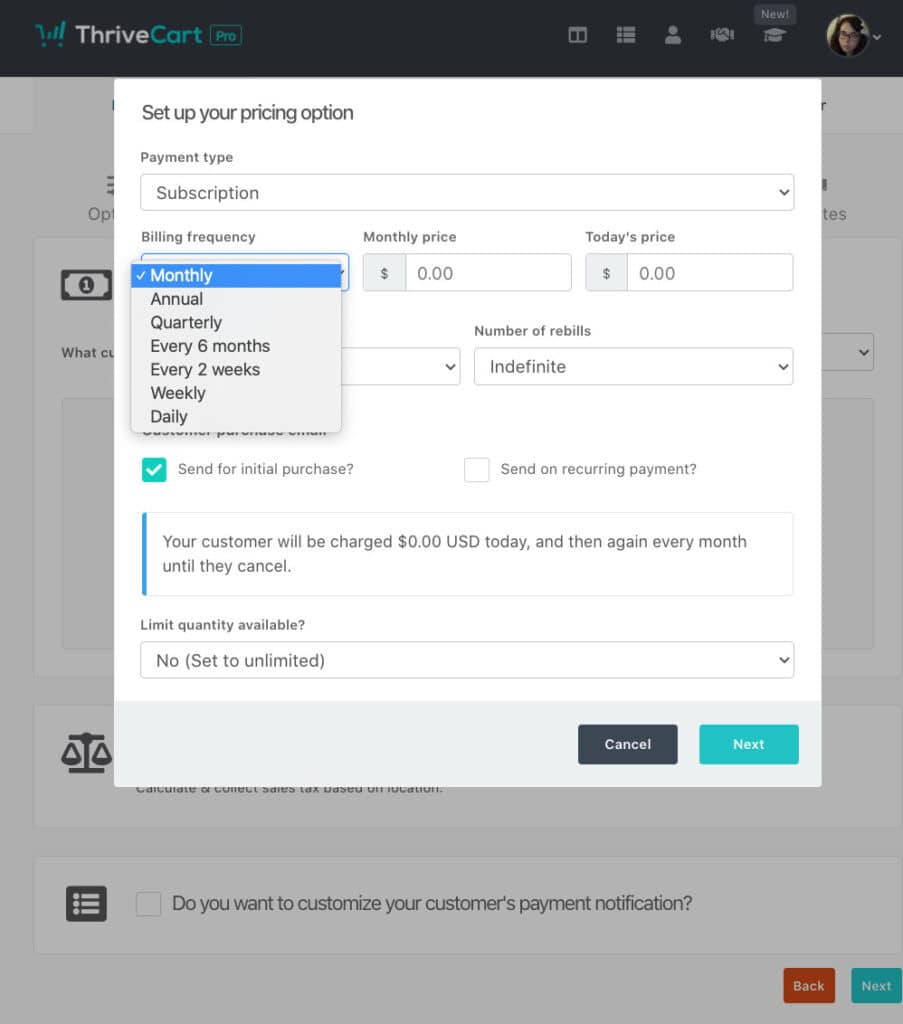
You can sell a few different things on ThriveCart. The main things are digital products and online courses. However, as a main feature, you can also sell a monthly subscription service (or weekly, yearly, quarterly).
But, if you sell physical products, you can still use ThriveCart and its unlimited sales page builder to sell your products. This can help increase your conversions and sales for more income.
How Do You Increase Sales with ThriveCart?
So, let’s say you’ve decided to go with ThriveCart, but you want to increase your sales even more. How can you do this?
Well, there are some great features that are available with just the basic ThriveCart account, but there are also a few features only available with the Pro upgrade. Here’s a few tips though to increase your sales:
- order bumps or a bump offer
- Use countdown timers
- Unlimited sales pages (you can test to see which pages perform better)
- Test and experiment with sales funnels
- Always add one-click upsells to each sales page
- Utilize and promote more with the built-in affiliate program (only available with Pro)
- Make the buying process easier (ensure all essential product information is available on the sales page)
There are plenty more ways to increase your sales with ThriveCarts shopping cart software. But, if you are struggling to figure out why you aren’t making more sales, the ThriveCart team offers a guarantee that if you aren’t recouping the cost of your ThriveCart license, the team will work with you for free, until you do.
But, in the meantime, here are some great tips to improve your sales:
- Monitor your analytics (the dollars are in the data)
- Find out what is working (rinse and repeat)
- Find out what isn’t working (and stop doing that!)
- Split test your sales pages, pricing, and more (only test 1 factor at a time for the best data)
- Offer free bonuses for your higher-priced products
- Create a sense of urgency (countdown timers, exclusive sales on bump offers, etc.)
- Network to find affiliates to help you sell more
- Add promotional material for your products (make it easier for affiliates)
- Test the sales cart yourself (tip: create a free testing coupon)
- Make the buying process unbelievably smooth
Related: 21 Best Remote & Work From Home Jobs That Pay Well in 2025
What Does ThriveCarts Course Creator Look Like?
ThriveCarts course creator is a drag-and-drop editor, which makes creating courses quick and easy since you don’t have to know how to code or do anything advanced.

I created a short GIF so you can get an idea of what that looks like on the back end. Otherwise, here is the step-by-step guide on how to do that.
- Navigate to the “Learn” tab in ThriveCart
- Select “New Project” and name it, then “Create course” and name it
- Fill in the information for your new course, select “Create my course”
- Next, “Add a module” and name it, and then “Add a lesson” and name it
- Choose the “edit” button under one of the lessons
- Drag and drop any elements you want in that lesson
- Add in the content for each element
- Either “save as draft”, or “Publish” the lesson when finished
- Rinse and repeat until your course is done!
- Now, create a sales page and promote your course!
If you want to create course bundles though, you will need to upgrade to ThriveCart Learn +, which is ($195). I will probably upgrade to this feature once I’ve created closer to a dozen courses though.
But, for now, I am happy with my ThriveCart Pro account.
What Does ThriveCarts Membership Platform Feature Look Like?
So the membership program feature isn’t actually much different than the course builder in ThriveCart. The main difference is mostly the checkout and payment process.
With the built-in course creator, you can design your course, and update it as needed to work as a subscription service.
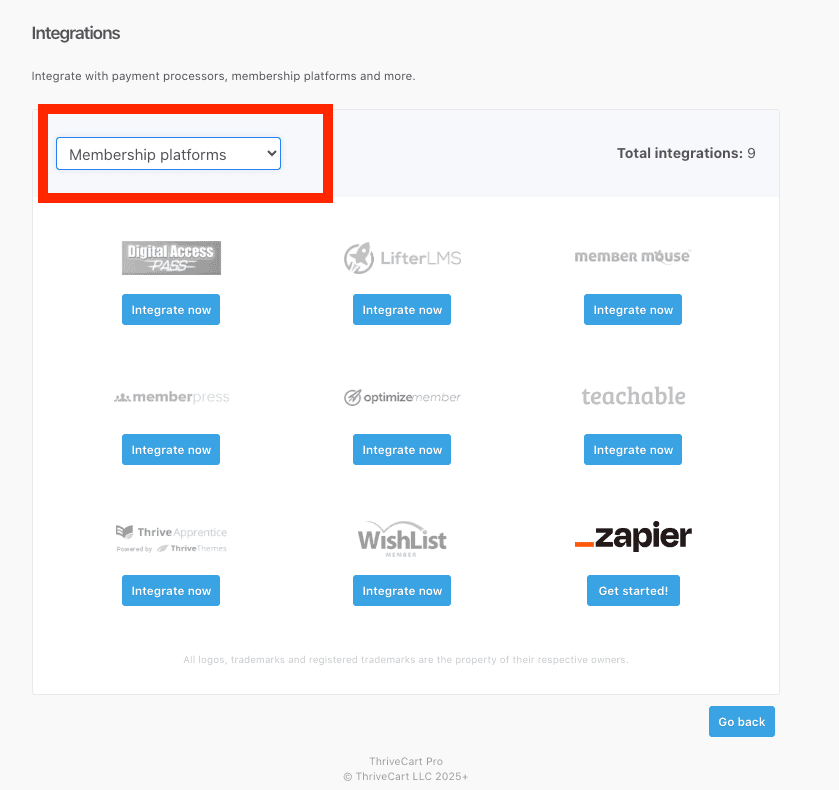
If you are using one of the membership platforms other than ThriveCart though, you will still be able to use the shopping cart feature of ThriveCart to handle the payments. There are also options to integrate you current membership platform into ThriveCart.
What Does ThriveCarts Sales Cart Feature Look Like?
The sales cart feature of ThriveCart is actually fairly similar in style to the course creator with the drag-and-drop design. This makes it super easy to customize your sales carts pretty quickly.
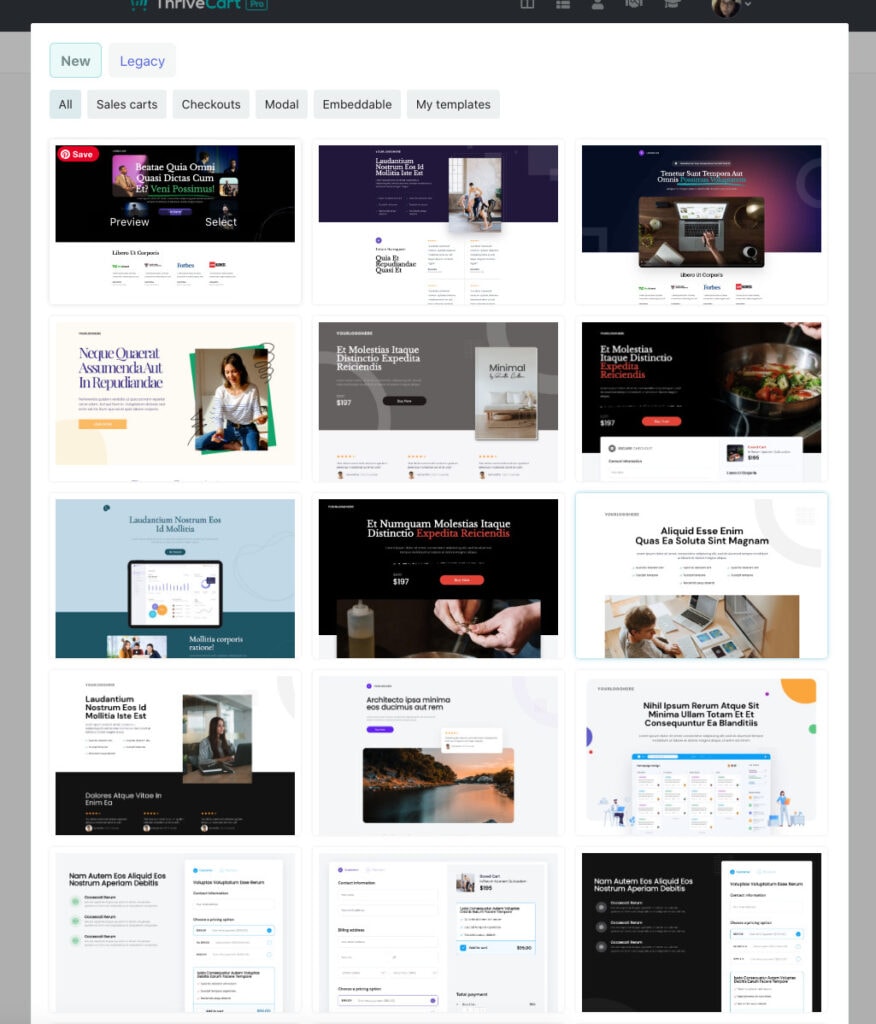
When you are customizing your sales pages, you have a choice from pre-made templates or high-converting checkout pages.
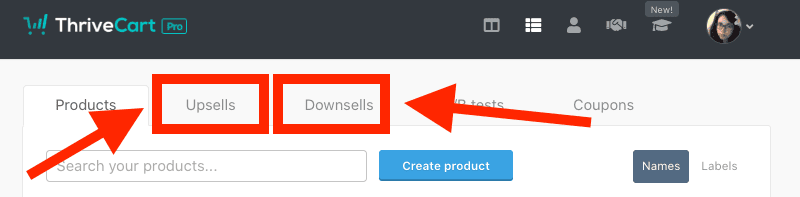
You can also add in a bump offer by using 1-click upsells to increase your profits. You can set these up in a separate section in your “Products” tab.
You can also choose an embeddable form to work into your landing pages on your website to keep people on your site for longer. The payment process (Stripe, PayPal, etc.) is integrated into the form, so you don’t have to worry about that.
The pre-made templates make the checkout process, and checkout experience much smoother in general, which does increase your conversion rate, by nature. But, there are other tools and features in the checkout page (sales cart) editor that can also help you increase your sales too.
- Countdown times
- Bump offers
- Downsells
- Coupons
- Testimonials
- FAQ section
- Video element
- and more
Does ThriveCart Offer Refunds?
Yes, ThriveCart does offer refunds. If you do decide that maybe it just isn’t right for business, you can request a refund within 14 days of your purchase. To do so, you will need to email support@thrivecart.com and request a refund.
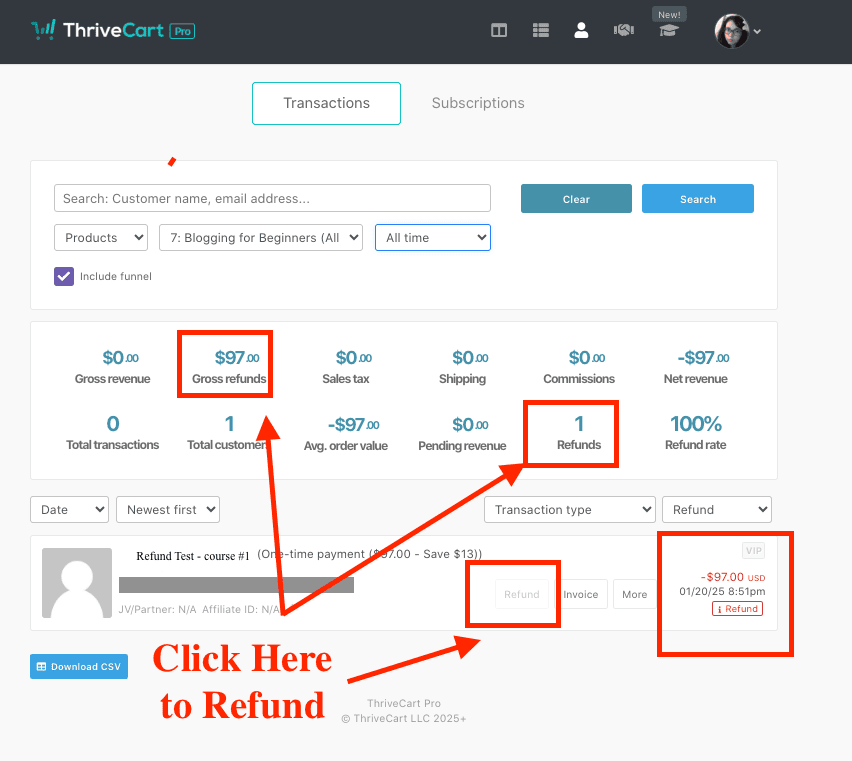
A quick side note though, if you ever need to give a refund to any of your customers or students, you can do this by navigating to your “Transactions” tab at the top. From here, you can either search for the specific student or customer, or you can search by date, specific product, or the funnel itself.
Once you’ve found the correct transaction, you can select the “Refund” button. You will also see the amount that will be returned for that specific purchase.
Final Thoughts on My ThriveCart Review
After working with ThriveCart for about a year, and given my previous experience with Teachable, I would have to say that I will never go back to another sales cart + course builder. As I’ve mentioned before, many times, the price is kind of unbeatable. Which, as a beginner or early business owner, is kind of a big deal.
But, even if I were more established, the amount of advanced features that are available make the platform just that much more appealing.
So, even if you aren’t quite ready for some of the advanced features, or if you may be pushing your budget as it is, there is no rush to upgrade. And, don’t forget that ThriveCart offers their “earn it back” guarantee, where they will help you earn back your initial investment if you are struggling to make sales.
Related Articles
- How to Make 6-Figures Selling Online Courses (2025 Guide)
- Blogging For Beginners (online course)
- 32 Passive Income Ideas to Make a 6-Figure Income in 2025
- Kit vs MailChimp: Which is Better for Bloggers (2025)
- 22 Best Podcasts All Entrepreneurs Need in 2025

hi
Nice overview of ThriveCart! Quick question: does it support integrations with major email marketing platforms out of the box? Would be great to know before deciding.
Yes! So with ThriveCart, you can set up third-party integrations like email marketing quickly and easily. ThriveCart supports email platforms like ActiveCampaign, AWeber, ConvertKit (Kit), Drip, GetResponse, HubSpot, MailChimp, MailerLite, Moosend, and more. Depending on the email platform you use, you may be able to simply sign in with your email service, or use an API to integrate your service, which is a simple and quick process.